Client report
Your client's construction site report, every evening
Your client wants to know how the construction site is going without reading a hundred messages. SiteTab writes the report from the site's WhatsApp group every evening. You check it, then send the client a short, clear version as a link or a PDF.
Start your 7-day free trial Up to 4 groups free. No card needed.
A short construction site report the client actually reads
Clients want the main progress, deliveries and the decisions they have to make, not every snag. Each report comes with a short client version written in plain words, and you choose whether the client sees that or the full report.
The short version for the client
Level 2 slab poured; curing has started.
Shower cabins delivered; mirrors still to come.
Decision needed from you: the tile sample for the kitchen.
Next: block work on level 2.
Your full report keeps
Every issue with its story and photos
Materials, decisions and documents
Crew on site and work by area
Items to check before you share
Example data.
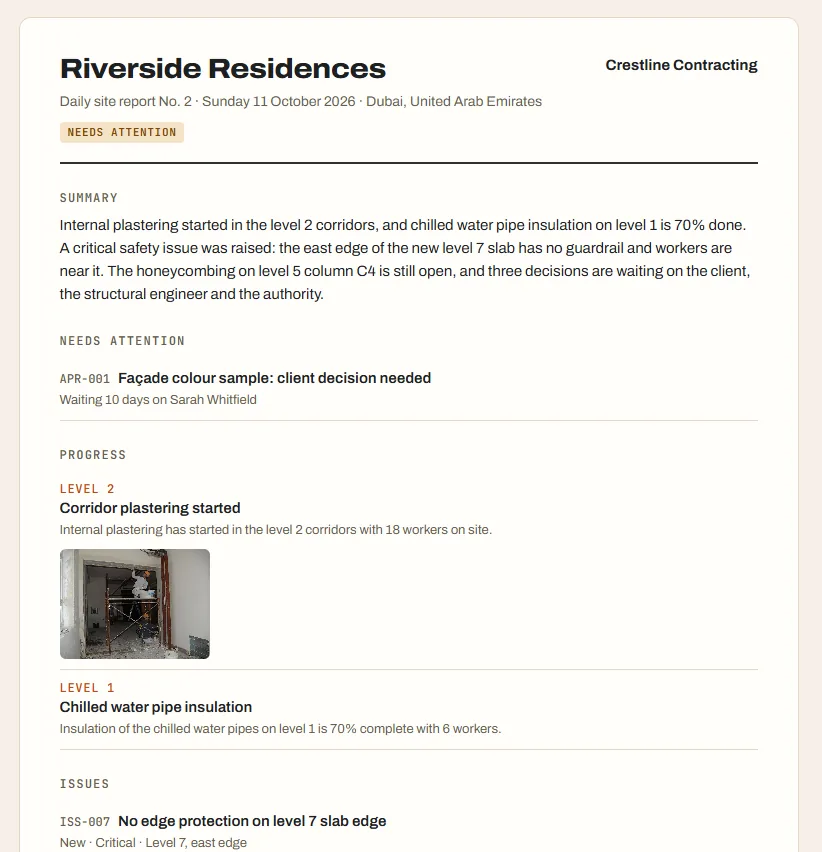
You check every construction site report first
Nothing goes to the client until you share it. Leave out anything that shouldn't go, add a note, and your company logo goes on top. Then share a link or download a PDF.
Construction site reports on your schedule
Daily reports arrive every evening at the time you choose, and weekly and monthly reports are written too. Change the time by sending SiteTab a WhatsApp message. Earlier reports stay in the Reports list, and you can open the report for any past day.
Client construction site report pricing
$10 per WhatsApp group a month ($57 for 6 months, $108 a year). The first 7 days are free for up to 4 groups, with no card. No per-user fees: everyone in the group counts.
Start your 7-day free trial Up to 4 groups free. No card needed.
Common questions from construction site teams
What does the client see?
Only what you share. By default the client link shows the short version: a summary, the main points, a few progress photos and what's coming up. You can switch to the full report for any report.
Can I edit the report before sending?
Yes. You can leave out items and photos, add a note, and choose the short or full version. Nothing is shared until you share it.
How does the client receive it?
As a private link you send them, or as a PDF. They don't need an account.
Can I add my company logo?
Yes. Add it once in Settings and it appears on every report.
More from SiteTab: Daily construction site report · Every construction site on one screen · Your construction site, on record